Skip to content





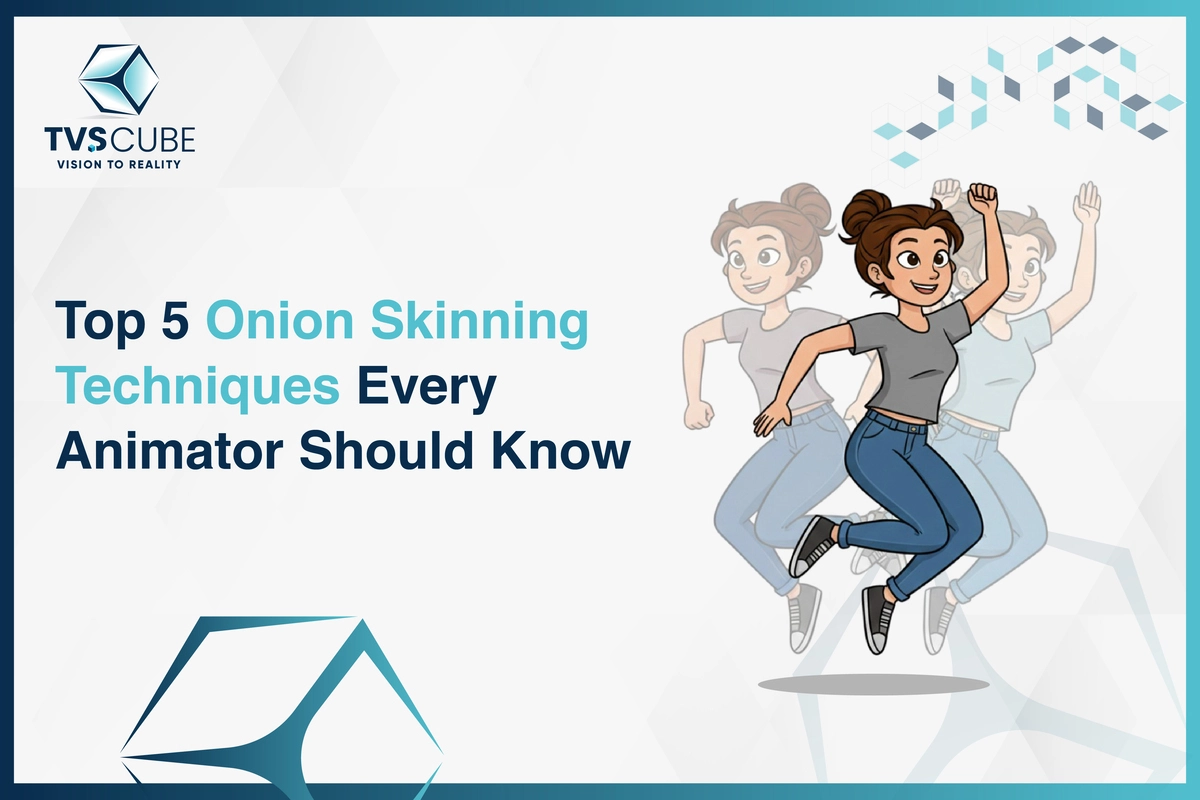
For animation, millimeter motion can break or make the story that you’re trying to tell. This is where onion skinning is useful — a brilliant but forceful technique that allows you to see previous and upcoming frames as ghostly overlays when you’re editing them. It’s basically having a visual map of your animation to have good timing, spacing, and character movement without having to second-guess it.
From narrowing down a 2D walk cycle to forcing difficult camera motion in 3D, onion skinning ensures each frame flows into the next. With controlled application, animators can create more work with less time, eliminate re-dos, and preserve overall uniformity between scenes in one piece — an immediate benefit to studios and brands with deadlines to meet.
At TVS Cube, offers 2D and 3D animation services team employs the latest onion skinning technologies in conjunction with the latest industry tools to deliver animations that are smooth, precise, and full of life.From explainer videos to high-end product visuals, we make every frame count.
What is Onion Skinning in Animation?
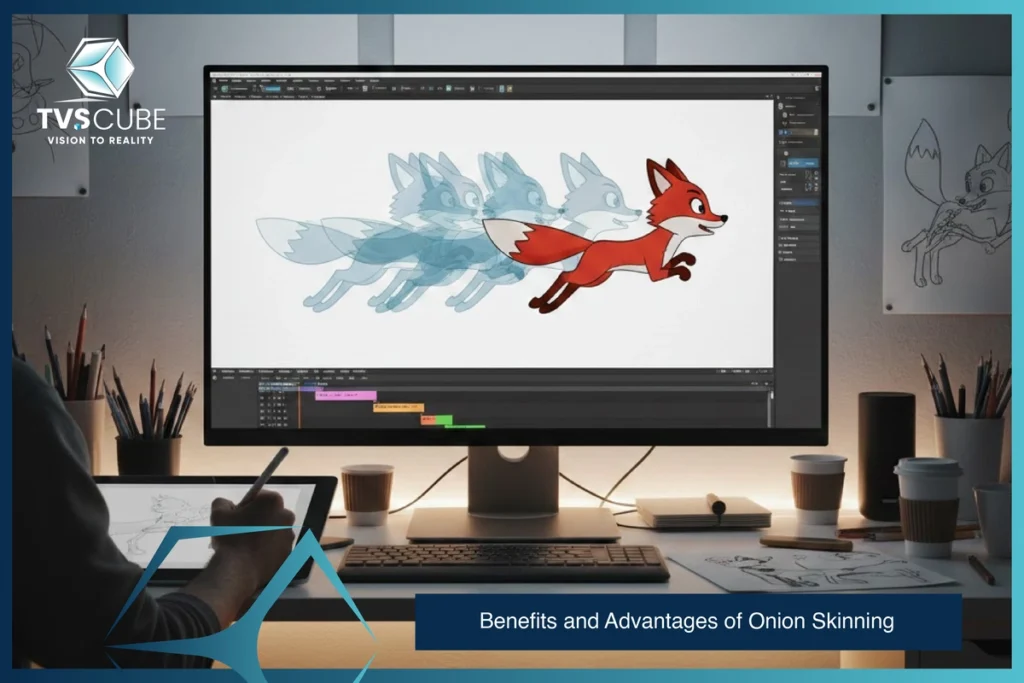
Onion skinning is an old animation feature that allows you to view several frames simultaneously — the one you are currently working on, and the faint outlines of the one preceding it and the one following it. It is an unseen guide that allows you to follow motion, timing, and placement without incessantly flipping back and forth.
This technique is the rescuer of both 2D and 3D animators. In 2D, it smoothens movement of characters, expressions become natural, and in-betweening exact.In 3D, it helps with camera path adjustments, object interactions, and refining complex motion sequences. The result? Animations that feel more fluid, polished, and professional.
Why is it called Onion Skinning?
The term was used in the days of traditional animation, when animators drew and corrected with transparent thin paper — much like thin onion-like layers — so they could visualize previous and next frames underneath the work frame, producing motion which would be smoother and more fluid.
The same applies with computer animation. The concept remains the same. Software programs simulate that layered deception on screen to give the animator a clear sense of motion flow without distracting him with individual frames. It is a simple concept but still holds a mammoth role in the development of professional 2D and 3D animations today.
Why is Onion Skinning Used in Animation?
Onion skinning helps animators to smooth and organically achieve motion through the visualization of over a single frame at once. It makes tracking easier, has more timing revisions, and can move characters or objects naturally between frames.
Whether a 2D character moving across the screen or a 3D model executing an intricate motion, onion skinning is a test of assurance. Onion skinning enables earlier detection of errors, better posing, and smoother movement to be maintained — all while saving time and cost of revision.
In TVS Cube, our animation professionals use onion skinning in both 2D and 3D projects in an attempt to ensure accuracy and provide high-quality industry images.

Onion Skinning Techniques
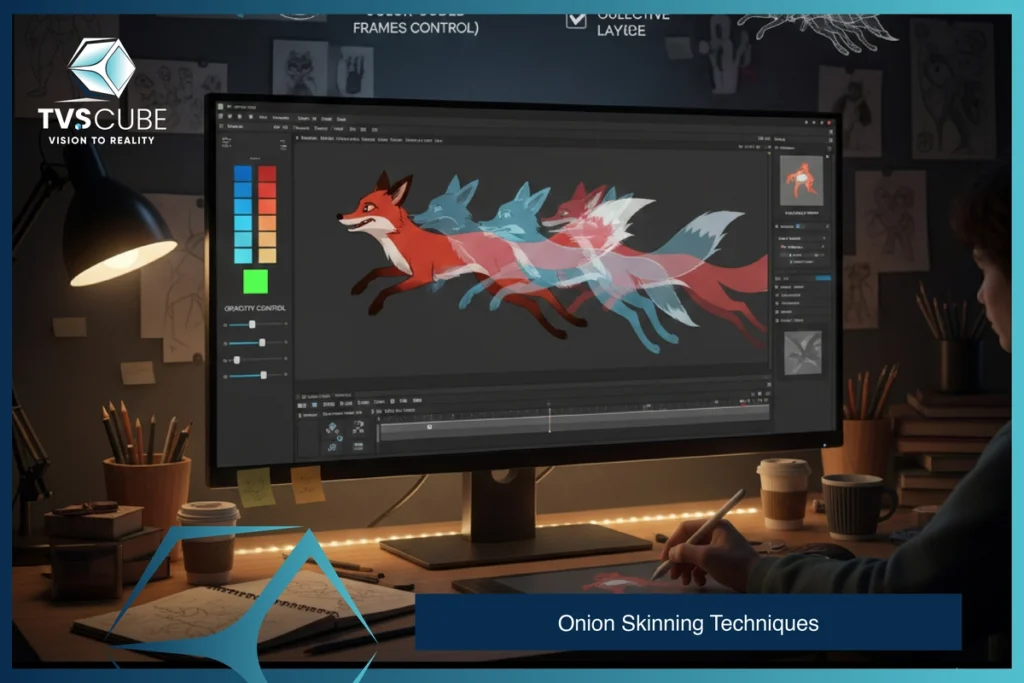
Learning onion skinning is not just about turning on the feature—mastering it’s about becoming a master of employing it to your advantage. Employing the feature with technique will revolutionize your animation workflow, giving you more control over timing, movement, and consistency. From creating a basic looping GIF to an action scene with many characters, employing onion skinning to your advantage ensures that one frame blends smoothly into another. Following is a breakdown of key techniques so that you get the best out of this tool:
Tip 1: Understanding Your Software’s Onion Skinning Features
All animation software—from Adobe Animate to Toon Boom Harmony—has its own take on onion skinning. Find out where this feature sits, how to switch it on, and the unique customization choices your program offers, like picking frame ranges, choosing past or future skins, or using advanced ghosting settings.
Tip 2: Setting Up Your Workspace for Optimal Onion Skinning
Lay out your timeline, layers, and canvas view so that ghost frames can be interpreted easily. Make sure you are working either at a zoom level, so as to clearly compare the current frame against previous and upcoming ones, or have an organized viewport layout to clearly make these comparisons without distractions.
Tip 3: Mastering the Opacity and Color Settings
Adjust the levels of transparency so that the jumbled mess of past images remain blurry yet identifiable, with a disorientating clarity in future frames. Use a system of colored cues (green for future frames, red for past frames) so that it becomes obvious where your animation is headed.
Tip 4: Utilizing Onion Skinning for Complex Animations
Onion skinning is indeed very useful in a multi-layered animation such as one that has many characters or moving elements. With onion skinning working properly, timing and alignment between different elements can be maintained. This is very essential in interaction between characters, ensuring their movements are believable as well as synchronized.
Tip 5: Combining Onion Skinning with Other Animation Techniques
Onion-skinning paired with motion paths, keyframe planning, and timing charts, assists in proper timing and motion accuracy. The merged use of these tools gives your animation a smooth, deliberate, and polished feeling.
At TVS Cube, our expert 2D and 3D animation team uses advanced onion skinning techniques to bring your ideas to life with unmatched precision and fluidity.
Benefits and Advantages of Onion Skinning
Benefits
- Improved Motion Flow – Lets animators see past and future frames, making movement smoother and more natural.
- Better Timing Control – Helps adjust speed, spacing, and rhythm with accuracy.
- Fewer Errors – Detects inconsistencies early, reducing costly rework.
- Time Efficiency – Speeds up the animation process by guiding each frame’s placement.
Advantages
- Consistent Animation Quality – Ensures characters and objects stay proportionate and aligned.
- Creative Flexibility – Makes it easier to experiment with poses, angles, and transitions.
- Professional Results – Enhances storytelling impact with precise, polished motion.
- Cost Savings – Reduces production time, keeping projects within budget.
At TVS Cube, we apply onion skinning in both 2D and 3D animation projects to deliver high-quality, efficient, and visually engaging results for studios, brands, and game developers.
Common Mistakes to Avoid in Onion Skinning
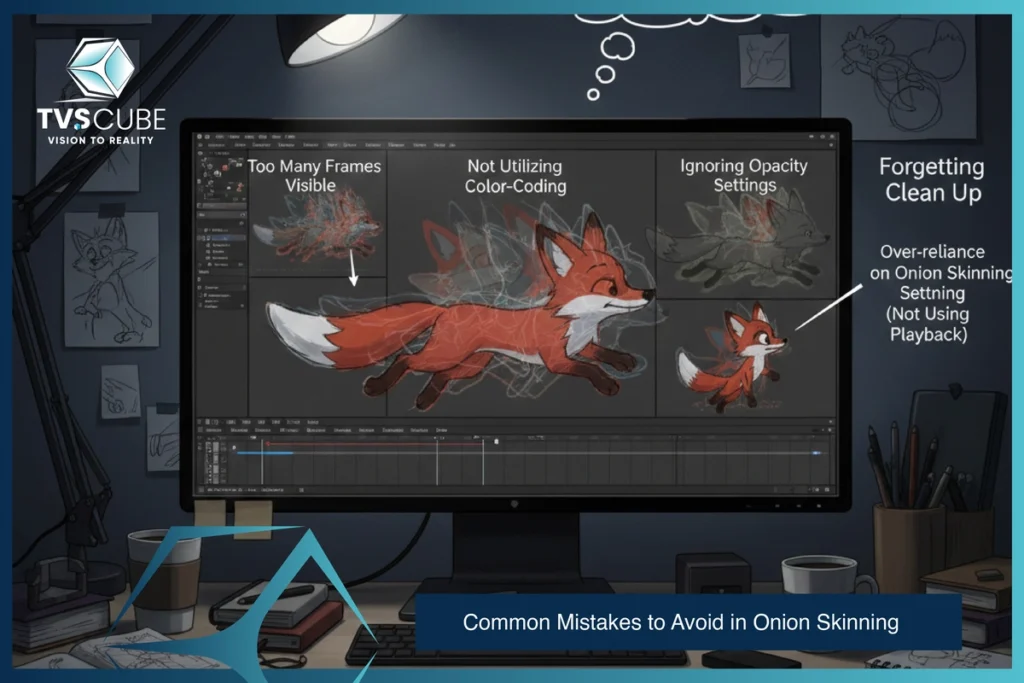
Although onion skinning is a great feature for animators, it is not flawless. Abusing the feature will result in unpleasant-looking visual effects, convoluted timelines, and unnatural-looking animation. Onion skinning is employed to produce precision, not add unnecessary chatter to your pipeline. Knowledge of what went wrong will make it possible for you to utilize this tool efficiently and enjoy a seamless animation process.
Mistakes to Watch Out For:
- Overusing too many frames – Displaying too many past and future frames can overload your view, making it harder to focus on the key movement you’re animating.
- Ignoring frame opacity settings – If ghost frames are too bright, they compete with the active frame. If they’re too faint, they become useless. Finding the ideal middle ground is key.
- Relying solely on onion skinning – Onion skinning is a guide, not a substitute for a solid understanding of timing, spacing, and animation principles.
- Not resetting between scenes – Carrying over onion skin settings from one shot to another can cause confusion, especially if the frame count or scene style changes.
By avoiding these pitfalls, you’ll ensure that onion skinning remains a tool for clarity and precision—not a source of distraction.
Traditional vs. Digital Onion Skinning
Onion skinning is a method of animation that allows animators to see several frames simultaneously — the past, the present, and the future — to achieve smooth, smooth movement. Though the theory remains the same, how it has been implemented varies from decade to decade.
Traditional onion skinning relied on transparent paper layers or animation cells, where each drawing was stacked so the animator could see through to the previous and next frames.
Digital onion skinning utilizes software tools to overlay faint, ghosted images of other frames directly on the screen, giving more control, customization, and efficiency.
How Traditional Onion Skinning Works
In traditional animation, separate sheets of semi-transparent paper (such as tracing paper) or transparent acetate cells were layered and stacked in sequence. The current frame was drawn by animators with barely a glimpse of the frames in the layer below. This assisted them in achieving smooth motion, keeping proportions correct, and having the scene flow naturally — but was labor-intensive and involved manual fine-tuning with great accuracy.
Onion Skinning in the Digital Era
Modern animation software like Adobe Animate, Toon Boom Harmony, and Blender offers built-in onion skinning features. Instead of physically stacking drawings, animators can adjust frame visibility, opacity, and color coding with just a few clicks. Digital tools allow:
- Viewing more frames before/after the current one
- Adjusting transparency for better visibility
- Instantly toggling onion skin on or off
- Working seamlessly in both 2D and 3D environments
At TVS Cube, our animation team uses advanced digital onion skinning to deliver precise, high-quality 2D Animation Services and 3D animations for brands, studios, and game developers — faster and with greater creative flexibility.
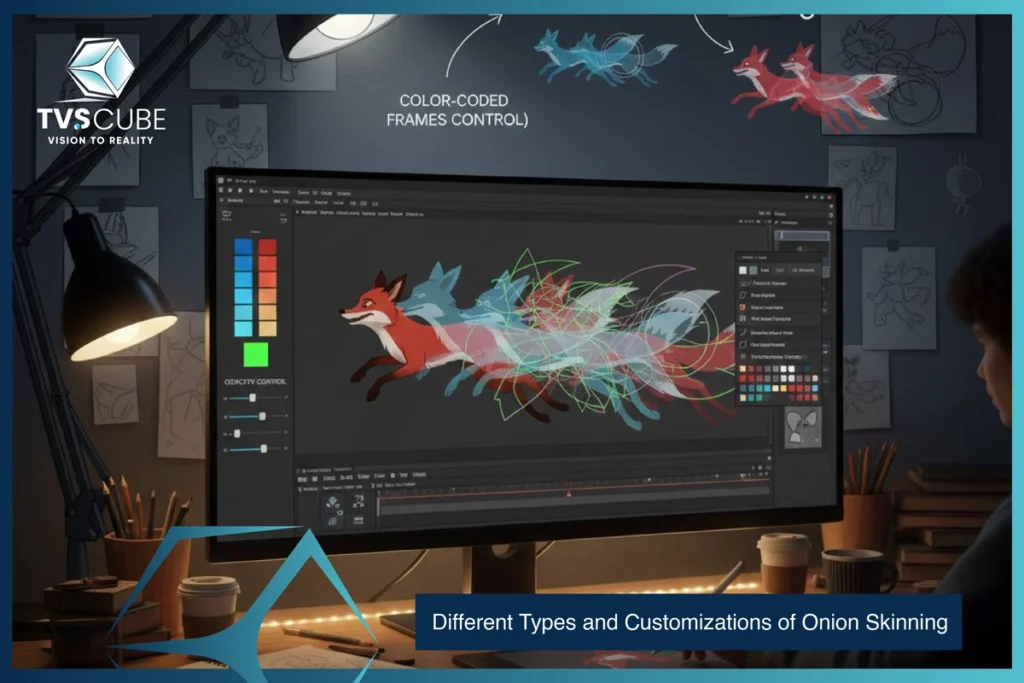
Different Types and Customizations of Onion Skinning
Onion skinning has a wide range of uses based on what the animator would want to achieve. There are some that display only previous frames, others display only later frames, and others display both so that one can see the entire motion. Through this, animators can select the appropriate method to various animation tasks.
Overview of Onion Skinning Types
Onion skinning types differ based on what frames are displayed and how they’re used. Some focus purely on motion history, while others help with planning upcoming movements. Advanced types balance both to ensure smooth, accurate animation.
Types include:
- Past Frame Onion Skinning – Shows frames before the current one to review previous motion.
- Future Frame Onion Skinning – Displays upcoming frames to help prepare next movements.
- Bidirectional Onion Skinning – Reveals both past and future frames for a complete motion overview.
- Keyframe Onion Skinning – Highlights only keyframes, skipping in-between frames for clarity.
Onion Skinning in Different Animation Styles
Onion skinning is a versatile fix—it accommodates various animation methods well, allowing artists to maintain flow, continuity, and accuracy on their way. Depending on the use of traditional, digital, or physical media, how it’s applied may vary.
- 2D Animation – Maintains smooth transitions and consistent proportions from frame to frame, ensuring characters move naturally.
- 3D Animation – Assists in planning motion arcs, camera paths, and object movement while keeping the 3D space intact.
- Motion Graphics – Perfect for aligning complex visual effects, typography, and animated elements with precise timing.
- Stop Motion – Keeps physical props and objects aligned between shots, preventing unwanted shifts or inconsistencies.
By adapting its use to each style’s unique rhythm, onion skinning becomes a versatile ally for animators across every creative field.
Software That Supports Onion Skinning
Onion skinning never went so smooth with today’s animation software, with functionality to suit various workflows and creative requirements. Each program has its own benefits to offer to the equation, allowing animators to select the right one suited to their design vision and production demands
- Adobe Animate – A classic for 2D animation, with adjustable frame ranges and customizable tint colors.
- Toon Boom Harmony – A TV animation favorite, offering advanced onion skin controls for handling complex scenes.
- Blender – A powerful open-source option with grease pencil onion skinning for both 2D and 3D projects.
- TVPaint Animation – Loved for its frame-by-frame drawing precision and highly customizable onion skin settings.
- Dragonframe – The top choice for stop motion artists, providing live onion skin overlays for perfect object alignment.
With so many options, the right software comes down to your preferred animation style, desired control, and the level of precision you need.
Custom Colors and Options in Digital Tools
Onion skinning in computer animation can be customized to suit each animator’s working style. Color coding, transparency, and frame limits can be employed to monitor movements without cluttering the work area. These enhance visibility and allow one to concentrate on important details.
Customization options include:
- Color-Coded Frames – Assign different colors to past and future frames for quick recognition.
- Adjustable Opacity – Control the transparency of ghost frames for better visual balance.
- Frame Range Control – Limit how many past or future frames appear at once.
- Layer-Specific Onion Skinning – Apply onion skinning to selected layers for multi-character or object animation.
When NOT to Use Onion Skinning
While onion skinning is a powerful aid, there are moments when switching it off can actually improve your workflow and clarity.
- Static scenes – If there’s little or no movement, onion skinning only adds visual clutter.
- Final rendering – For clean, distraction-free previews, you don’t need to see extra frames.
- Fast creative sketches – Spontaneous freehand animation sometimes benefits from working without visual references.
- Overlapping effects – Heavy particle effects or complex backgrounds can become harder to read with onion skinning enabled.
Just like knowing when to use onion skinning, understanding when to skip it ensures a smoother, more focused animation process.
The Wrap up!
In actuality, onion skinning is one of the oldest techniques of animation, but it has enormous application in modern workflows. It provides a primary visual safety net for sharp timing, consistent proportions, and believable movement; whether you are depicting a fluid 2D character motion or a 3D camera move, or synchronizing very cool and intricate motion graphics-with-it as an accompaniment.
At TVS Cube, we infuse the ancient art of principles of traditional animation with advanced digital tools so that every frame counts. Not only will you save time, but if done properly, mastering when, how, and even when not to use onion skinning will uplift the quality of your work, one seamless transition at a time.
Read Also : Walk Cycle Animation: Tips for 2D and 3D Animators
Reference:
Business of animation : Top 5 Onion Skinning Tips For Better 2D Animation
Adobe : An introduction to onion skinning in animation.
Garagefarmnet : Understanding Onion Skinning in Animation