




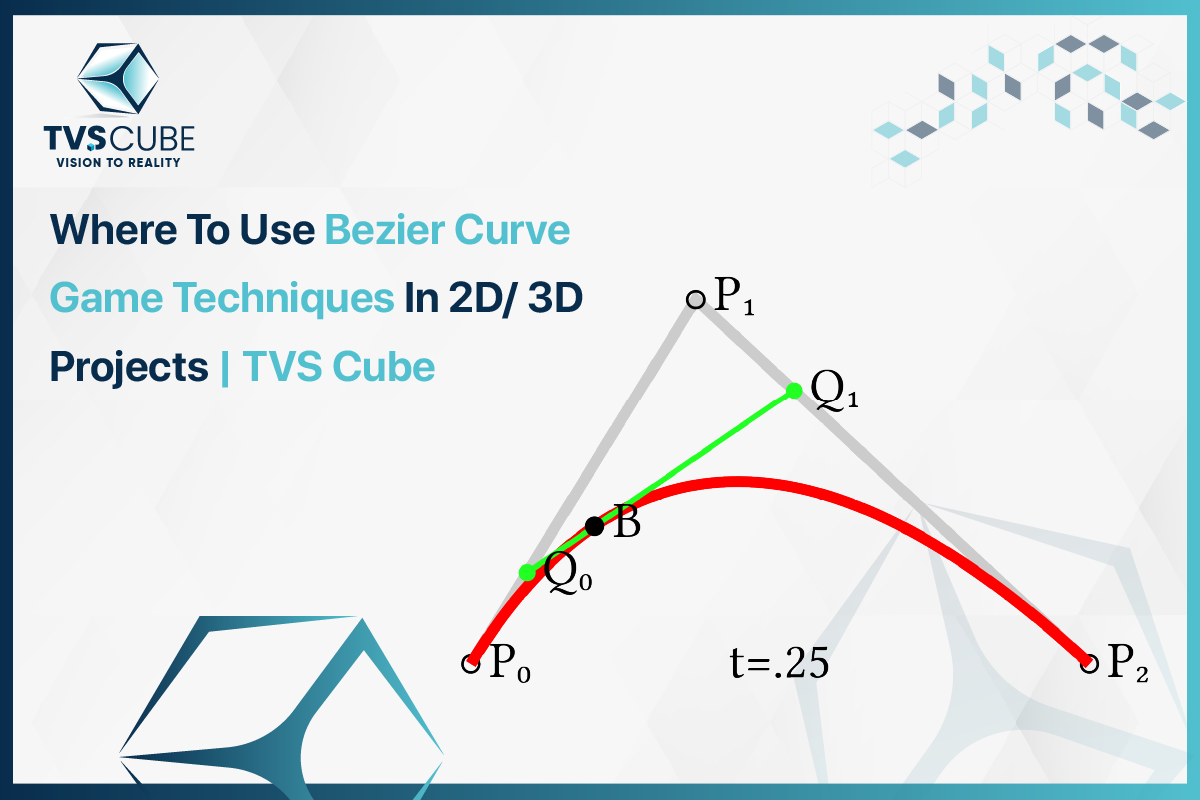
Bezier curve game techniques quietly power the smooth, lifelike movements in 2D and 3D games. They’re behind natural walk cycles, curving racetracks, and cinematic camera sweeps. In 2D, they guide character paths and enemy AI; in 3D, they control camera rigs and environment modeling. Studios like TVS Cube use them to craft stunning, real-time animation. Simply put: Bézier curves don’t just control motion—they shape how players feel the game..
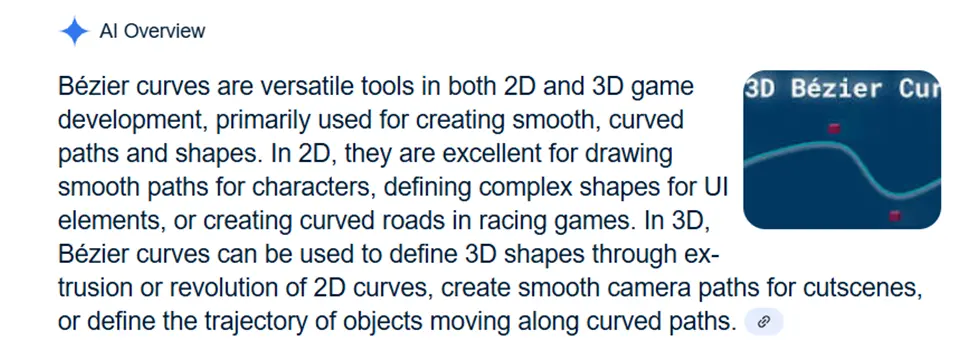
What is a Bezier Curve?
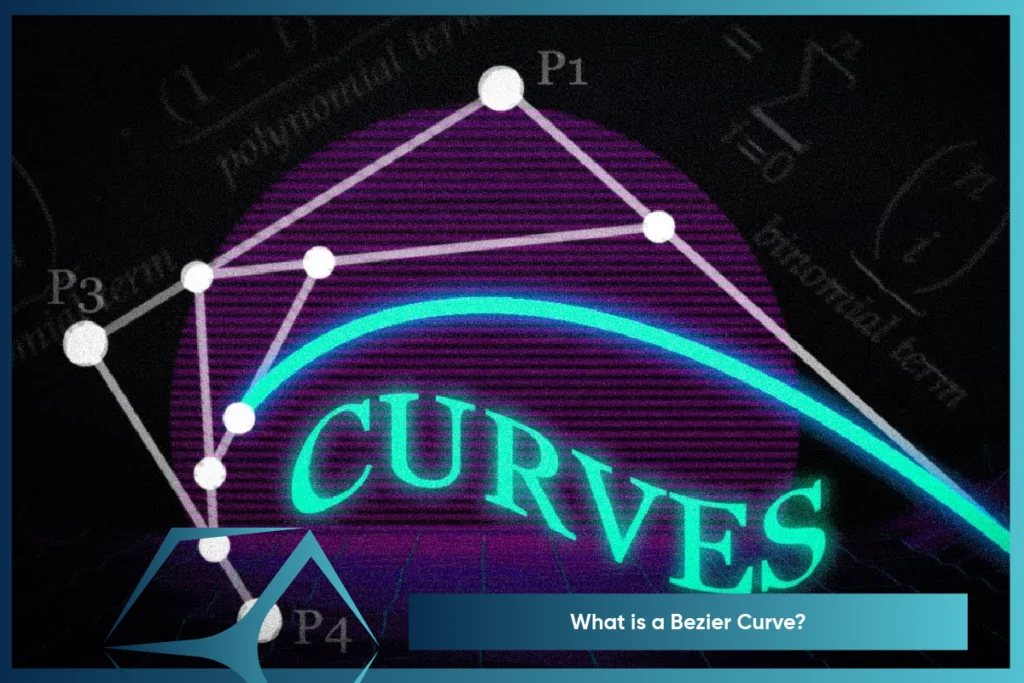
A Bezier curve is a mathematically controlled line for creating smooth flowing shapes—commonly used in computer graphics, animation, and game programming. It begins with some control points, and rather than joining them together with straight lines, the curve “warps” from one to the next to create stunning curves and natural motion. Consider it a digital puppet string—move the control points to allow you to control the curve straight away. In the game development, Bezier curves play a significant role in obtaining silky-smooth character lines, silky-smooth animation, and cinematic camera movements without abrupt or stiff changes.
The Role of Bernstein Polynomials
For a better understanding of Bezier curves, you must be introduced to their mathematics—Bernstein polynomials. They dictate how each control point affects the curve to produce smooth, fluid motion. In games, they drive everything from character jumps or camera swoops by blending movement between points in real time.Thanks to Bernstein’s precision, studios like TVS Cube can create fluid, dynamic animations without tedious frame-by-frame work.
Types of Bezier Curves Games
There are several types of bezier curve game with varying complexity and control. The curve is selected by game developers, animators, and 3D designers—such as TVS Cube—depending on the amount of flexibility needed in movement and design.
Linear Bezier Curve
The Linear Bezier Curve is the simplest form, created using just two points—a start and an end. This forms a perfect straight line. While it may seem basic, it’s highly useful for simple UI movements, slider animations, and progress bars. In 2D games, it helps move objects directly from point A to B without any curve. Studios like TVS Cube may use this in quick transitions or menu navigations where precision and simplicity are key.
Quadratic Bezier Curve
This curve uses three control points and adds curvature to the path. It’s best used to animate projectile flight paths, floating foes, or parallax scrolling in 2D side-scrolling games. The middle point adds direction and curvaceousness, and it moves smoothly but under control. TVS Cube often applies this in 2D platformers and environmental animations to bring realism and fluidity into scenes without complex rigging.
Cubic Bezier Curve
The Cubic Bezier Curve is utilized using four control points, and therefore it is one of the most accessible and used in 2D and 3D game development. It supports difficult S-shaped and loop curves, ideal for character routes, camera movements, and physics-based interactions. To animate a flying dragon or a moving car, TVS Cube utilizes cubic curves to offer cinema-quality smoothness to real-time environments.
Why Bezier Curves Are Popular in Game Development?
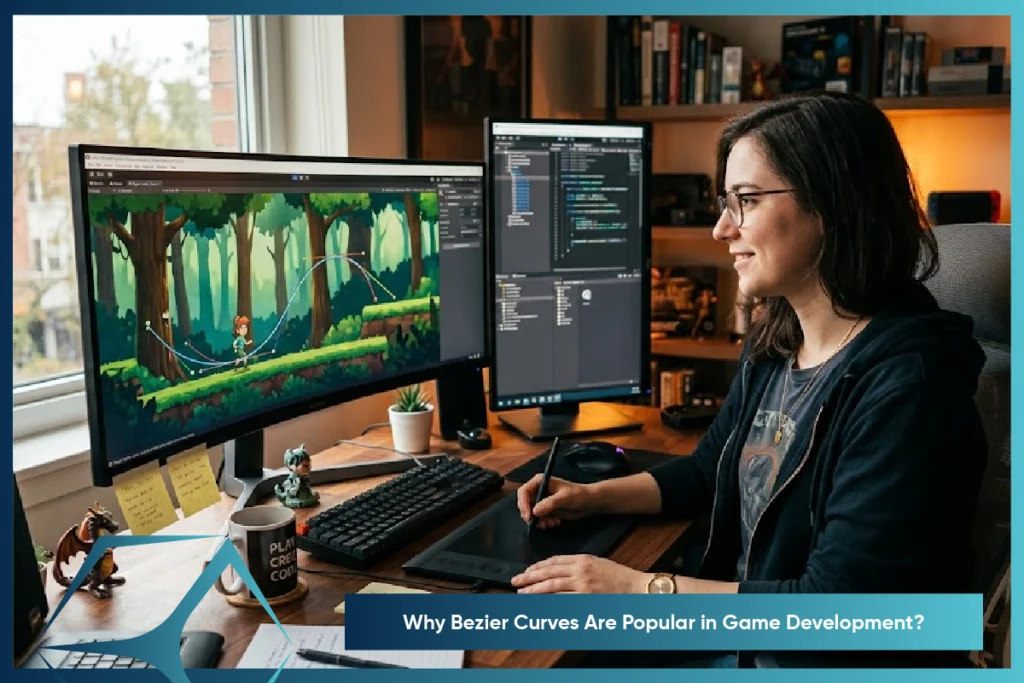
Bezier Curve Game are an advanced method for creating smooth, natural motion in game development. They allow developers to have control over the way characters bounce, camera pan, or UI elements animate.Unlike rigid movements, Bezier curves create natural transitions. TVS Cube and other companies apply them in both 2D and 3D games to provide cinematic moments, natural character movement, and interactive environments without having to compromise on performance or flexibility at development time.

Want Intuitive Control In Your Game Development? TVS Cube Delivers!
How Do Bezier Curves Work in Game Engines?
The Bezier curves are constructed on mathematical equations that interpolate control points, the unknown anchors that determine the path of the curve. Game engines such as Unity, Unreal, and Godot employ the curves to compute smooth positions of the characters, objects, and cameras over time.
Here’s how it works:
- Define Control Points – Developers set key positions.
- Calculate Curve Path – The engine uses Bezier algorithms (like De Casteljau’s) to draw the smooth line.
- Animate Along Curve – Objects move or scale based on curve timing for smooth, fluid motion.
At TVS Cube, developers implement Bezier curves to streamline complex pathfinding, UI transitions, and cinematic camera work in both 2D/3D environments.
Applications of Bezier Curve Game Techniques
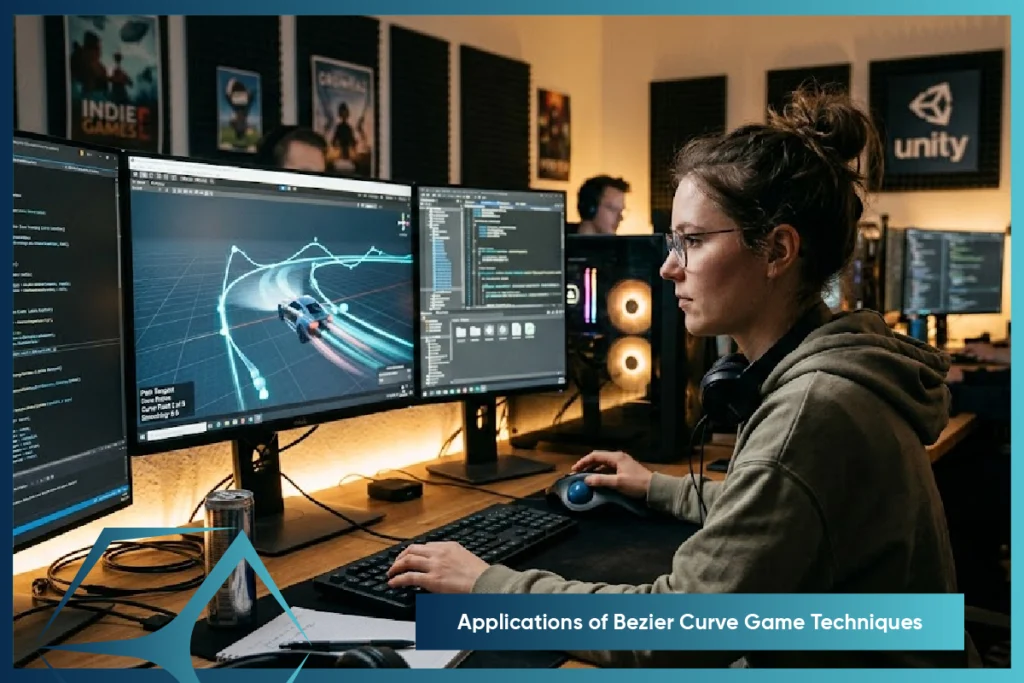
Bezier curves have carved out a vital role in both 2D and 3D game development, helping developers create dynamic, responsive, and visually compelling experiences.
Bezier Curve Game – 2D Use Cases
➤ Character Movement Paths
In traditional 2D games, character motion often feels rigid or robotic when following linear paths.Bezier curves simply do this and let you have a go at writing smooth, curved paths that mimic natural momentum. A ninja gliding through the air or a bird flying through obstacles, for example—these curves let you define acceleration, deceleration, and even little wiggles—movement feels expressive, fluid, and alive.
➤ Projectile Arcs & Combat Effects
Think of a grenade toss or a magic fireball. Instead of calculating straight-line physics alone, developers use quadratic or cubic Bezier curve game to define graceful, realistic arcs. It allows you to precisely control how spells bend around terrain or how a boomerang curves back to the player giving both gameplay strategy and visual satisfaction a boost.
➤ UI Element Transitions
Buttons that bounce, menus that elegantly slide in, or health bars that deplete in a visually pleasing curve—all of these are powered by Bezier-based easing functions. By replacing jerky linear animations with Bezier easing, you achieve smoother user interactions and a modern, polished game interface. It’s not just aesthetic—it keeps players engaged and subconsciously improves usability.
Bezier Curve Game – 3D Use Cases
➤ Cinematic Camera Motion
Bezier curves allow coders and directors to choreograph camera motion, such as in filmmaking. The camera can move along complex paths—zooming, tilting, and orbiting with smooth curves that give weight to emotions. For instance, in boss fights, the camera would pan around the player in a grand reveal. It adds depth and storytelling to games.
➤ Terrain Shaping & Level Design
The creation of realistic landscapes will generally begin with curves. Windy mountain roads, rivers passing through valleys, and outcroppings of natural rock formations can all be mapped with Bezier paths. The curves enable level designers to specify natural movement through environments such that worlds are hand-crafted looking instead of man-made blocky.
➤ 3D Character Rigging & Animation
In high-end bone animation, Bezier interpolation is employed between keyframes to compute bone motion. Snap to pose to pose is replaced by knees bending, arms swinging, and weight transfer as a natural occurrence. To illustrate, in a fighter game, the motion of a turning kick can be refined with cubic Bezier curves to portray anticipation, follow-through, and impact—all within one smooth motion.
Want To Elevate Both 2D And 3D Animations? Let’s Start With TVS Cube
Key Benefits of Using Bezier Curves in Games
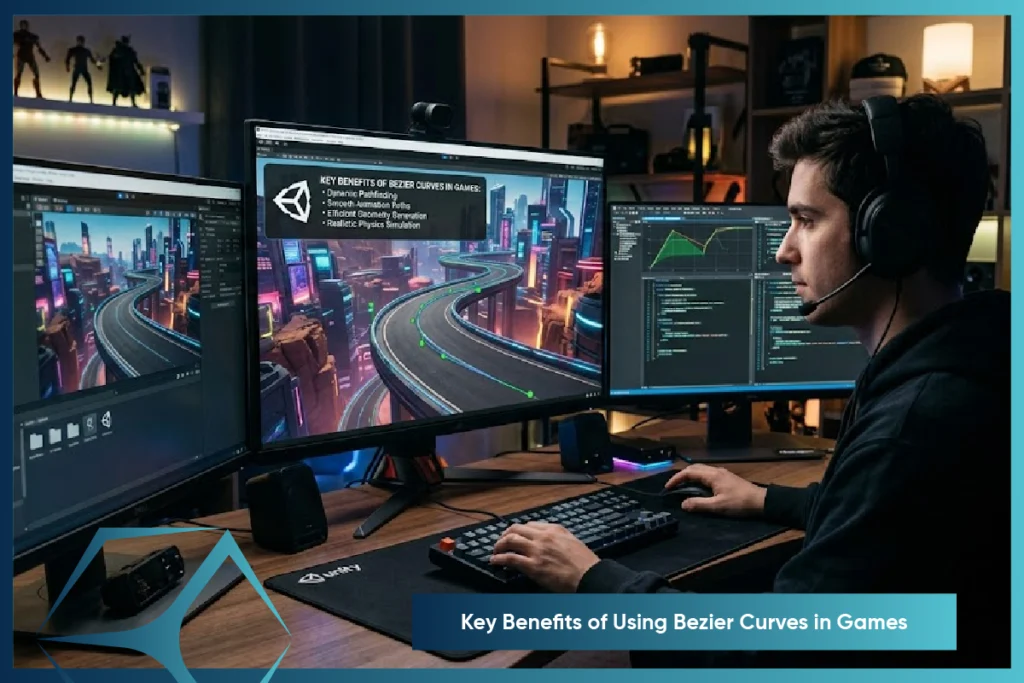
Bezier curves aren’t just mathematical beauty—neat gadgets, essential to game creation today. From realistic motion to more player involvement, their application is technical and not just creative.Let’s explore why game developers consistently choose Bezier curves to power game dynamics:
Fluid Motion with Cinematic Precision
One of the things that Bezier curves are exceptionally good at is creating natural, smooth movement. Rather than jerky or linear movement, programmers can get objects to move smoothly, arc, or turn in a way things naturally occur in the physical world. Whether a bird flying across the 2D sky or a spaceship doing an S-curve turn in 3D space, the animation is slow and intentional—perfect for achieving realism and emotional investment.
Precision Control Without Complexity
Bezier curve games require only a few control points to manipulate complex motion paths.This implies that developers can adjust animations or scene items quickly—without re-drawing frames or re-writing scripts. Need to change the way a character jumps or the way a UI item slid in? Simply move the control points and watch the magic happen.
Performance-Optimized Animations
In game engines, efficiency matters.Bezier-based animation depends on basic mathematical operations, and therefore they are much less computationally costly than physics simulations. What this implies is that games can provide stunning, silky-smooth transitions on less-resource platforms—like mobile platforms or browser games—without committing framerate.
Versatile for 2D and 3D Environments
From humble mobile titles to expansive open-worlders, Bezier curves do it all in dimensions. They’re utilized to sprite 2D actors, control 3D character model transit, guide enemy NPCs, and beyond. Their flexibility makes them worth their gold weight in game types—ranging from side scrollers with arcade controls to precision 3D RPGs.
Creative Freedom for Designers
Game development isn’t programming—it’s craft. Motion designers and artists now have an expressive medium in Bezier curves to shape looks to fit the aesthetic and atmosphere created in the game. You can dial in every aspect of an animation, from character animation services action to UI element reveals, all under one cohesive visual identity. What do you get? Gameplay that’s expressive, immersive, and refined.
Interested In Premium Animation Results?
How TVS Cube Brings This to Life
At TVS Cube, we make use of Bezier curve online techniques in our character rigging, motion graphics, and 3D character modeling visualization offerings. Animate an AI-driven drone or script out a silky scene transition—a mix of technical precision and visual storytelling is what our engineers bring to the mix, blending gameplay with cinematic polish.
Common Mistakes When Using Bezier Curves in Games
1. Overcomplicating the Curve
Adding too many control points—particularly without cause—will make animation difficult to control, debug, and optimize. The curve will most likely act in an unweird or unexpected manner and differ from intended motion.
Why It’s a Problem:
- Complex curves require more processing power and can behave unexpectedly.
- Excessive tweaking of points leads to wasted time and inconsistent motion.
Best Practice:
- Use quadratic (2 control points) or cubic Bezier curves (3 control points) for most motion paths.
- Break larger paths into smaller segments instead of forcing one large curve.
2. Ignoring Performance Impact
Bezier curves are mathematically intensive. Calculating positions in real-time, especially on mobile GPUs, can hurt performance.
Why It’s a Problem:
- Real-time Bezier computation per frame can overload the CPU/GPU.
- It slows down frame rates in complex animations or UI transitions.
Best Practice:
- Pre-calculate curve data and store it as a lookup table or animation cache.
- Use linear interpolation between key points when full curve precision isn’t needed.
3. Poor Path Smoothing
Transitions between multiple curves or curve segments can be visually jarring if not blended correctly.
Why It’s a Problem:
- Causes noticeable “jerks” in movement.
- Breaks immersion in character animation, camera panning, or visual transitions.
Best Practice:
- Use Bezier spline continuity techniques like G1 or G2 continuity to ensure smooth blending.
- Apply easing functions (ease-in, ease-out) to create natural acceleration/deceleration.
4. Misaligned Control Handles
If Bezier handles (tangents) aren’t placed carefully, motion becomes unintuitive or unbalanced.
Why It’s a Problem:
- Character or camera movement may overshoot or undershoot targets.
- Visual arcs lose symmetry or natural flow.
Best Practice:
- Use symmetrical or mirrored handles when aiming for smooth loops or transitions.
- Visualize and adjust tangents using in-editor curve tools (like Unity’s Animator window or After Effects’ graph editor).
5. Not Scaling with Resolution
Bezier curve game used in 2D UIs or vector shapes can look stretched or blurry on different screen sizes if not properly scaled.
Why It’s a Problem:
- Curves that appear smooth on one resolution may distort on others.
- Vector UI elements lose visual quality or precision.
Best Practice:
- Use resolution-independent units like percentages or anchors.
- Implement SVG, Canvas, or vector shaders that automatically adapt curve fidelity to screen DPI.
Final Thoughts!
To sum up, bezier curve game design techniques are not merely a visual makeover—they’re a solid foundation for game making now. Whether crafting a smooth-as-silk camera trajectory across a 3D character maker or animating a UI button within a smartphone game, these curves add poise, streamlining, and emotional resonance. By combining mathematics and art, studios such as TVS Cube bring gameplay into the domain of cinematic narrative. Acing Bezier curves is about delivering gamers a more connected, more responsive, and more visually integrated experience—smooth motion by smooth motion.